


ESET Mobile Security Antivirus
4.722.39K Reviews
App Specs
- Version
- 12.0.17.0
- Updated On
- License
- Free
- Downloads
- 10,000,000+
- Developer
- ESET
- Categories
- Tools
- Platform
- Android, iOS
Screenshots
 Analysis by AppCompare
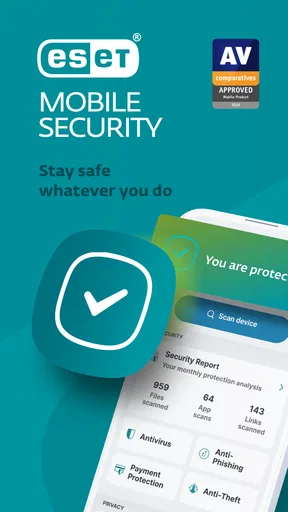
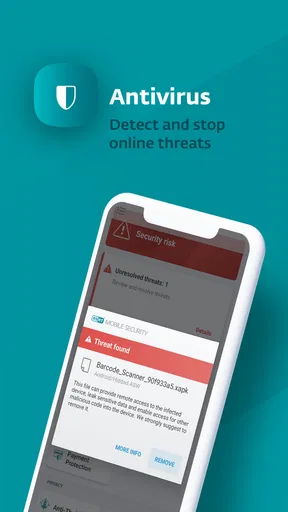
When I try a mobile security app, I want to know what it will actually help me do before I spend time tuning settings. ESET Mobile Security Antivirus is built for two everyday concerns: checking for harmful apps and giving you options if your phone goes missing. It is a tools app from ESET, and the first useful step is straightforward: install it, open the security check, and see whether it flags anything that needs your attention. That makes the experience less intimidating for a first-time user than a dashboard full of warnings and unexplained switches.
What to expect from a phone security app
I think of ESET as a practical layer of protection rather than a reason to stop paying attention. An antivirus app can help spot suspicious software, but it cannot make every link, message, or download safe. The best habit is still to pause before entering a password on an unfamiliar page or installing an app from a source you do not trust. Used alongside that common sense, mobile scanning can make it easier to notice risks you might otherwise overlook.
This distinction matters if you are comparing it with the protection already built into a phone. Built-in safeguards are convenient and may be enough for someone who only installs familiar apps and wants minimal maintenance. A dedicated security app is more appealing if you want a separate place to check device safety and access tools for a lost phone. I would not install it just to collect alerts; I would install it if those extra checks and recovery options fit the way I use my phone.
A reassuring first setup
On opening the app, I would start with its initial security check and read each prompt rather than tapping through automatically. Security tools sometimes need you to enable or authorize functions before they can do their jobs, and those choices should make sense to you. If you see a request you do not understand, pause and check what it enables inside the app. A calm setup is better than granting access just because a screen makes the request sound urgent.
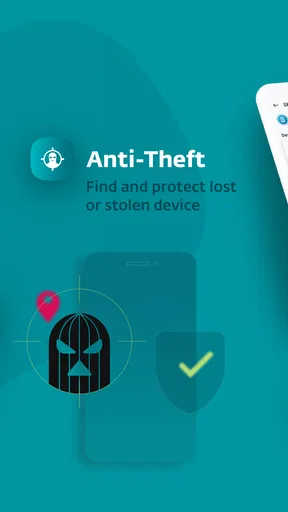
After the first check, take a moment to find the anti-theft area and learn how its controls work while the phone is in your hand. Remote locking or tracking is most useful when you already understand where to go and what account or setup steps it depends on. I would also make sure the phone itself has a screen lock and that important account recovery details are current. An anti-theft tool is a fallback, not a replacement for those basics.
The first meaningful success
For me, the first good result is not a dramatic warning; it is knowing that I have run a check and understand what the app says about the device. If it reports an issue, read the explanation before removing anything. If it finds nothing, that is useful reassurance, but not a guarantee that every future download or website is safe. Running a check after installing an app you are unsure about is a sensible, low-effort routine.
A realistic example is installing a new app before a trip because you need it for tickets or maps. I would check that the app comes from a source I trust, review the permissions it requests, and then use ESET’s security check as another layer of caution. If something seems wrong, I would stop and investigate instead of assuming the scanner can settle every question. That workflow gives the tool a clear role without asking it to make every decision for me.
Worth Reading Before You Choose

EA SPORTS FC Mobile 26 Is a Bigger Football Game, but It Takes Time

Flipboard Shows What News Apps Must Do Beyond the Feed

Switching to Android Auto Means Rethinking Your Driving Routine

Google Calendar Makes a Crowded Week Easier to Manage

Ludo King Makes the Most of the Minutes Between Plans

Baby Panda World Brings Quick Play to Modern Phones, but Its Game Library Feels Busy
First Impressions: Sleek and User-Friendly
The first thing that caught my eye was the app’s sleek design. It’s not cluttered with unnecessary features, which is a breath of fresh air. Everything you need is right where you'd expect it to be. I didn’t have to spend ages figuring out how to navigate the thing. Plus, the setup process was a breeze. Just a few taps and I was ready to roll.
Security Features That Pack a Punch
Let’s dive into what really matters – the security features. The app offers real-time scanning for malware, which is basically your phone’s way of saying, “I got your back.” It’s constantly on the lookout for anything fishy, and it updates its virus database regularly. So, you’re always protected against the latest threats.
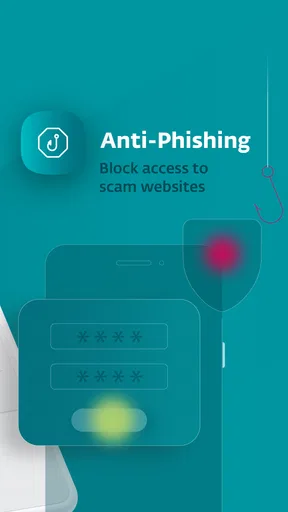
One of my favorite features is the anti-phishing protection. I don’t know about you, but I get super anxious about those sneaky phishing emails. With ESET, you can browse and shop online without breaking a sweat. It blocks dodgy websites and keeps your personal info safe. Sweet, right?
Anti-Theft Tools: Because Losing Your Phone Is the Worst
Now, let’s talk about the anti-theft tools. If you’re anything like me, losing your phone is your worst nightmare. ESET has some nifty features to ease the panic. You can track your device, lock it remotely, and even wipe your data if it falls into the wrong hands. It’s like having a digital safety net.
And get this – there’s even a siren feature that you can activate if you’ve misplaced your phone. Imagine your phone screaming for help. It’s both hilarious and incredibly useful.
Performance: Light as a Feather
One thing I can’t stand is when an app slows down my phone. Thankfully, ESET Mobile Security Antivirus is super light. I didn’t notice any lag or performance issues, and I’m someone who has a million apps running at once. It’s like having a security guard who doesn’t take up any space.
For a first-time user, a useful next step is to decide which alerts deserve an immediate response and which are simply reminders to review a setting. I prefer to keep notifications meaningful: if every routine status message interrupts the day, it becomes easier to dismiss the one that matters. Check the app after setup, understand its main status, and then let it fit into your normal phone routine rather than repeatedly opening it to seek reassurance.
Premium Features: Are They Worth It?
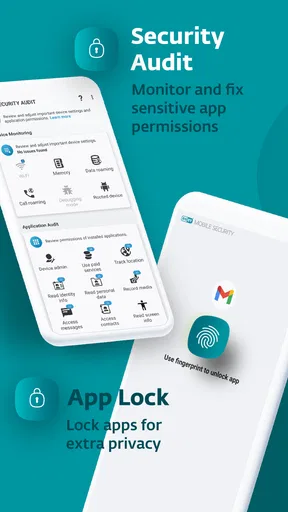
Now, let’s chat about the premium version. While the free version is pretty solid, the premium features offer some extra goodies. You get advanced security reports and an app lock feature to keep prying eyes away from your private apps. It’s definitely worth considering if you want that extra layer of protection.
The app is free to install, but in-app purchases range from around a dollar and a half to nearly a hundred dollars per item, so I would check the exact offer shown in the app before buying. The price range alone does not tell you which option is right for your needs. If you mainly want to run checks and learn your way around the basics, I would begin without paying and only consider an upgrade when a particular tool solves a problem you actually have.
App locking can be useful on a shared device or when you occasionally hand your phone to someone else, but it is not a substitute for securing the whole phone. Likewise, detailed reports are valuable if you like reviewing what the app has checked; they may feel unnecessary if you prefer a set-and-forget routine. I would weigh those conveniences against how often you would use them, rather than treating a longer feature list as automatic value.
Where it fits—and where it may not
ESET has a 4.7 average from around a million ratings and over ten million installs, which suggests that many people have chosen it, though popularity cannot tell you whether its approach suits your habits. It is rated for everyone, and its current version is 11.2.2.0, with Android 9 as the minimum operating system. It has been available since August 5, 2013, so this is an established product rather than a newly launched tool.
I would shortlist it if you want antivirus scanning and anti-theft controls together, especially if you often install new apps, browse on public networks, or carry personal and work information on one phone. It may be less appealing if you already feel comfortable with your phone’s built-in protections, do not want another security app to manage, or only need a way to locate a device. In that last case, a platform’s own device-finding tools may be the more direct choice.
Compared with a basic antivirus that focuses mainly on scanning, the appeal here is the combination of malware checks, anti-phishing protection, and lost-device options. Compared with relying only on built-in safeguards, it gives you another security interface to consult, but that also means more settings and alerts to understand. I would choose based on the gap I actually want to fill, not on the assumption that installing more security apps always means better protection.
Final Thoughts: A Must-Have for Peace of Mind
So, what’s the final verdict? If you’re looking for a reliable, easy-to-use antivirus app, ESET Mobile Security Antivirus is a fantastic choice. It’s packed with features that keep your phone safe without bogging it down. Plus, the anti-theft tools are a lifesaver.
Whether you’re a tech newbie or a pro, this app is designed to make your life easier. It’s like a digital superhero that’s always on duty. So go ahead, give it a shot, and enjoy surfing the web with peace of mind. After all, in today’s world, you can never be too careful.
My practical recommendation is to start with the free experience, run the initial check, and spend a few minutes learning where the anti-theft controls are before you need them. If the app’s alerts and settings feel clear, keep it as one part of a sensible security routine. If you find yourself ignoring its notices or duplicating tools you already use, it may not be the right fit. The best security app is the one whose protections you understand and are willing to maintain.
Pros
- Comprehensive virus scanning.
- User-friendly interface.
- Low impact on device performance.
- Anti-theft features included.
- Regular updates for new threats.
Cons
- Some features require premium.
- Occasional false positives.
- Limited free version functionality.
- Interface may seem dated.
- Premium can be pricey.
FAQs for ESET Mobile Security Antivirus
What is ESET Mobile Security Antivirus, and how does it protect my device?
ESET Mobile Security Antivirus is a comprehensive app designed to protect Android devices from malware, viruses, and phishing attacks. It offers real-time scanning, anti-theft features, and a user-friendly interface. The app uses advanced algorithms to detect and remove threats, ensuring your device remains secure against the latest cyber threats.
Does ESET Mobile Security Antivirus affect my device's performance?
ESET Mobile Security Antivirus is optimized to run efficiently without significantly impacting your device’s performance. It operates in the background with minimal resource usage, ensuring that your phone or tablet remains fast and responsive while providing top-notch security against various threats.
What are the key features of ESET Mobile Security Antivirus?
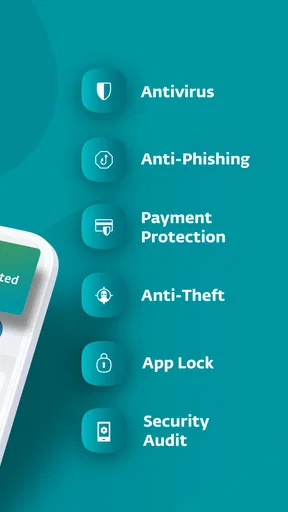
The key features of ESET Mobile Security Antivirus include real-time scanning, anti-phishing protection, anti-theft tools, and a security audit feature. It also offers app lock, call filtering, and a security report that provides detailed insights into your device’s security status, making it a comprehensive security solution.
Is ESET Mobile Security Antivirus free, or do I need a subscription?
ESET Mobile Security Antivirus offers a free version with basic features, while the premium version requires a subscription. The premium version unlocks advanced features like anti-phishing, automatic updates, and enhanced anti-theft tools. Users can choose the plan that best suits their security needs and budget.
How do I install and set up ESET Mobile Security Antivirus on my device?
To install ESET Mobile Security Antivirus, visit the Google Play Store, search for the app, and tap 'Install.' After installation, open the app and follow the on-screen instructions to set up your security preferences. You may need to create an ESET account to access certain features, especially if opting for the premium version.


